Features in focusProfessional · Premium
Give your special its moment.
Draw attention to seasonal specials and notices within your menu, with an image, copy and a planned display window.
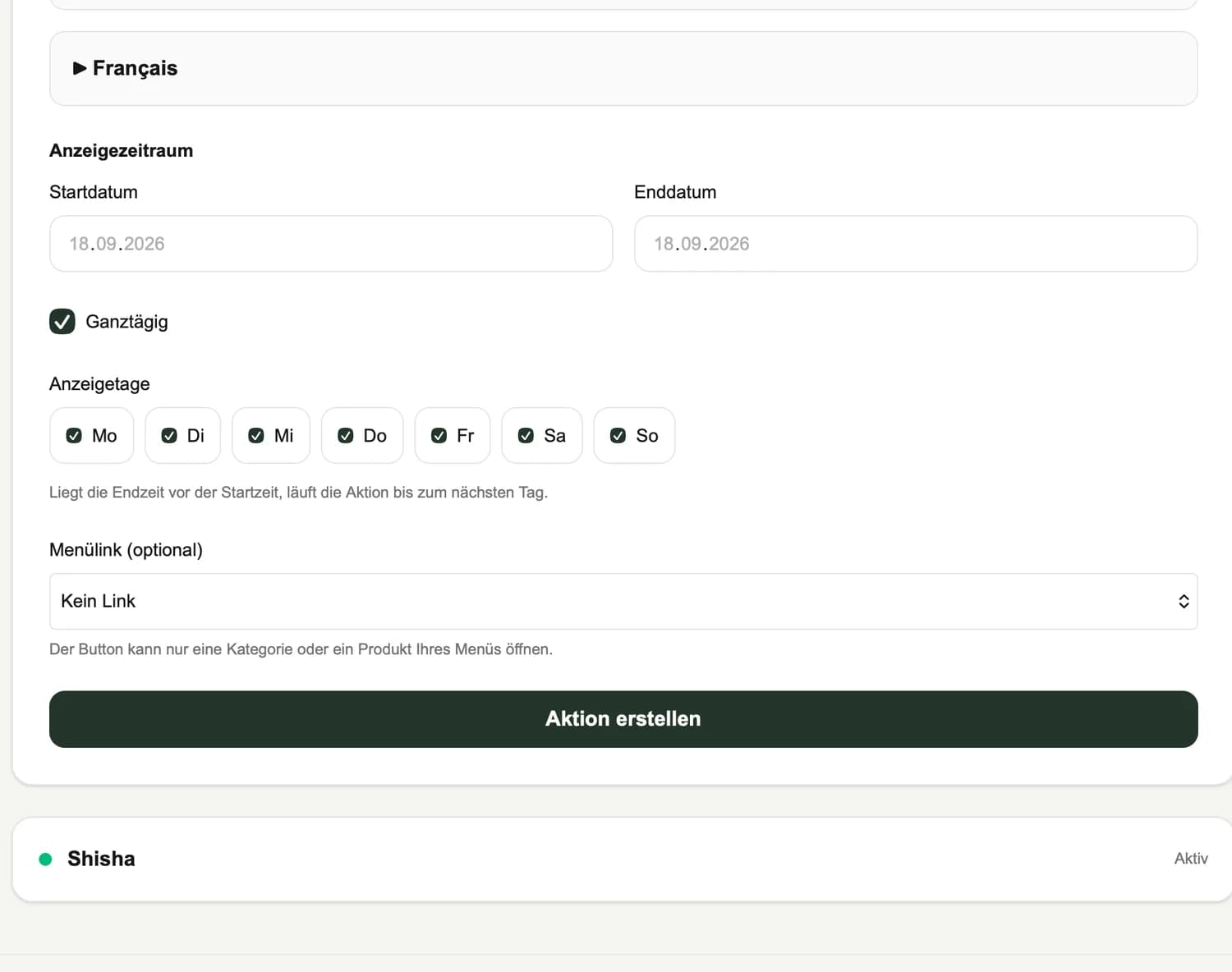
- 01Highlight seasonal specials
- 02Plan display windows in advance
- 03Bring images and copy into your menu
WHY IT MATTERS
Make specials easier to notice
A seasonal aperitif or a terrace notice deserves a clear place. Campaigns combine an image and copy within your menu, with content maintained in your enabled menu languages.
Plan the display window
Professional and Premium include scheduled campaigns. Set dates, weekdays and times and check the restaurant time zone. Review the order and display when you have several notices.
Keep the offer and price aligned
A campaign presents your offer but does not change product prices automatically. If the promotion mentions a special price, maintain and check that price separately on the relevant product.
HOW TO USE IT
Three steps. A clear workflow.
- 01
Prepare the content
Choose an image and write a clear message.
- 02
Schedule its display
Set the relevant days and times.
- 03
Check the offer
Review the display, language versions and relevant prices.
AN EVERYDAY SERVICE SCENARIO
Introduce the summer selection
Use a notice to introduce summer drinks during a chosen period. Maintain the actual drink prices on their product entries.
An illustrative use case, not a customer testimonial.
Availability depends on the features enabled for your package. Understand package scope →
A FEW USEFUL ANSWERS
Good to know.
Does a campaign change prices automatically?
No. Product prices are maintained separately on the product.
Which packages include campaigns?
Scheduled campaigns are included in Professional and Premium.
YOUR VENUE. YOUR NEXT STEP.
A menu that fits the way you work.
Let’s talk about your menu, your guests’ languages and the features you need.